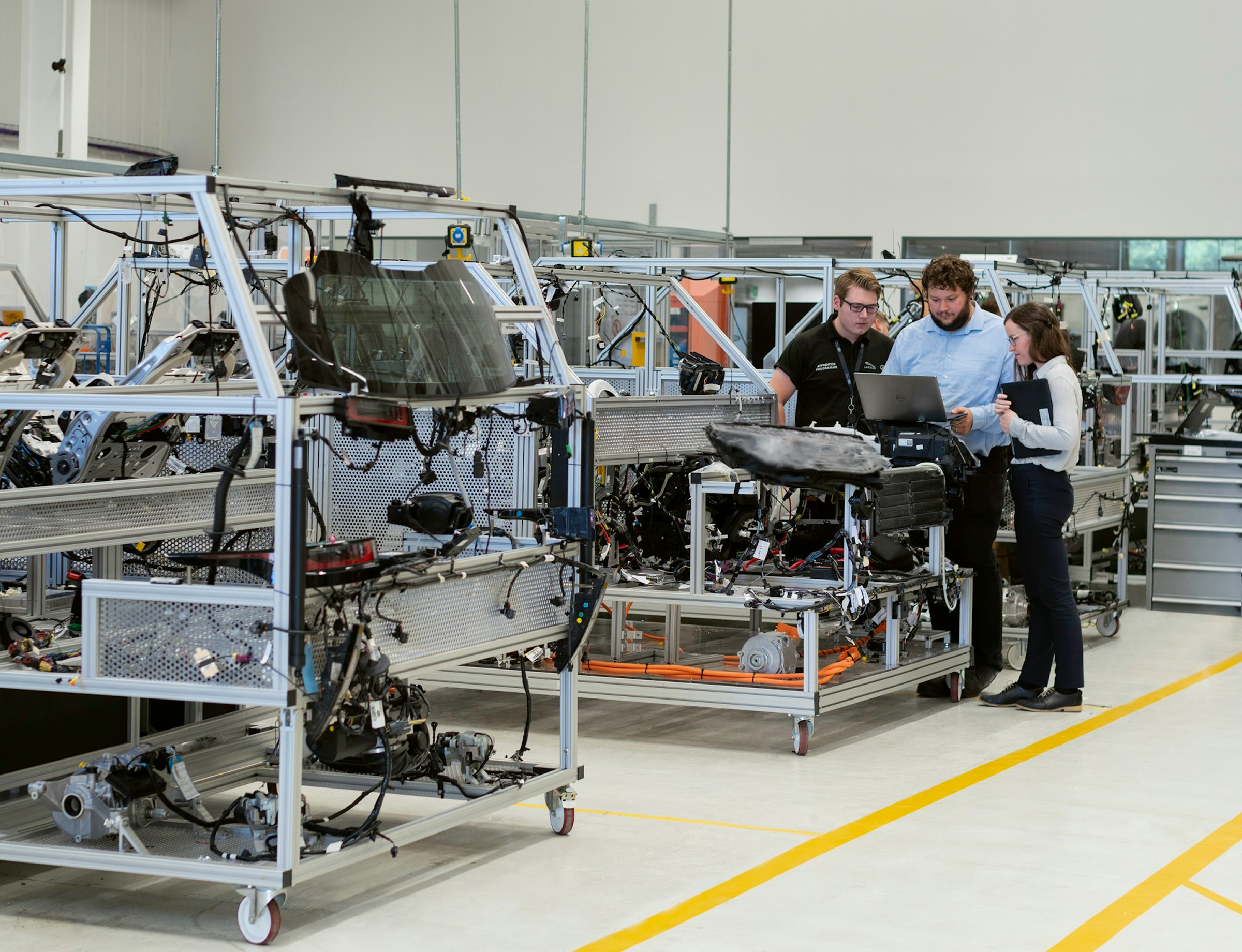

Manufacturing teams today are under constant pressure to deliver faster, reduce production delays, and maintain operational agility despite supply chain volatility, fluctuating demand, and resource constraints. Yet most organizations still calculate turnaround time (TAT) using static assumptions, spreadsheet-based planning, or delayed ERP reports that fail to reflect live operational realities.
Getting rid of this burden is as easy as plugging in a new appliance. Its simple, its effective, and most of all, its built after close consideration of your requirements. Integrated with Microsoft AI ERP environments DynaTech’s AI Turnaround Time Calculation solution is built Predictive lead time AI, operational analytics, and conversational AI Agents to help manufacturers improve planning accuracy, reduce delays, and drive measurable manufacturing operational efficiency AI outcomes.
This use case explores how Agentic AI ERP systems are improving turnaround time estimation and how it takes this complex static reporting task into a live and intelligent operational capability.
What Makes These Agents Different from Built-In Copilot?
Microsoft Copilot embedded across the Dynamics 365 suite provides genuine value through;
- Natural language navigation
- Generated summaries
- Assisted task completion across the D365 surface.
But built-in Microsoft Copilot is a generalist as it does not carry working knowledge of your production routing structures, your machine capacity constraints, your vendor lead time variability, or the historical order data patterns that actually determine whether a production run meets its committed TAT.
Powered by Azure AI services and built through Copilot Studio DynaTech’s AI Agents are purpose-built for operational execution inside enterprise manufacturing workflows.
Our solution leverages advanced AI models integrated with live ERP and operational data sources. It connects directly to your live Dynamics 365 SCM and manufacturing data through the MCP layer.
The agent speaks in production terms and shares information on;
- Work orders
- Routing steps
- Capacity blocks
- Lead time bands
It answers complex manufacturing questions in plain English without requiring SQL expertise, BI tooling, or any IT executives involvement. Moreover, DynaTech’s agent delivers manufacturing-specific intelligence, including predictive TAT analytics calibrated to your actual production environment, bottleneck detection, and dynamic scheduling.
Key Capabilities of Agentic ERP Solution | Capability Matrix
DynaTech's dynamic scheduling AI agent is purpose-built for the queries that production planners, operations managers, and manufacturing directors ask every day.
1. Turnaround Time Prediction and Historical Analysis
The AI agent eliminates manual TAT estimation by evaluating;
- Manchine utilization
- Labor allocation
- Production load balancing
- Operational efficiency trends
Using predictive TAT analytics, the ERP system can answer questions like;
- What is our average turnaround time (TAT) by product family over the last six months, and how does it compare against the committed lead times?
- Which production orders from the last quarter exceeded their planned turnaround time, and what were the most common routing steps where overruns occurred?
The AI in ERP systems identifies product lines where actual TAT has diverged from planned TAT by more than 15% and shares the specific teams or areas driving that difference.
2. Predictive Lead Time Forecasting
- Manufacturers struggle with outdated production schedules.
- The existing systems don't account for real-time disruptions in the operations.
The AI-powered ERP solutions deliver intelligence using live operational data and your team can get insights like;
- “What is the predicted completion date for all high-priority orders?”
- “Which production lines are creating the largest scheduling delays?”
- "Which open work orders are at risk of exceeding their planned TAT given current WIP levels and resource availability?"
The prediction lead time AI-enabled system forecasts completion dates for all active production orders and flags the ones where the predicted finish date may conflict with the SLAs and promised delivery schedule.
3. Bottleneck Detection
- Continuosly monitos inventory availability, procurement timelines, and supplier delays.
- Analyzes material dependency risks before production disrupts.
For production managers and operations directors, the ERP functions as a continuous efficiency monitor and answering queries like;
- "Which operations are creating the longest queue times and what is the downstream impact on overall throughput?"
- "Identify routing steps where processing time has increased compared to standard across the last 30 days."
- “Which production shift has the lowest operational efficiency?”
- “What production sequence would maximize throughput this week?”
DynaTech’s manufacturing operational efficiency AI system identifies hidden operational bottlenecks, detects correlations between machine downtime patterns, inventory misalignments, and TAT overruns to recommend scheduling adjustments.
4. Dynamic Scheduling and Capacity Intelligence
- Get optimized recommendations to update production to delivery schedules.
Using smart analytics and throughput optimization techniques, our AI agent shares insights on simple to complex scheduling related queries.
- "Show me current capacity utilization across all work centres for this week and identify where we have scheduling conflicts."
- "If we add an urgent order for 500 units of Product Y, what is the realistic TAT and which existing orders would be displaced?"
The Dynamic schedule AI agent automatically recommends optimized production sequencing to minimize total TAT variance across the active order book.
AI Production Planning Automation Assistant
The Problem It Solves
Manufacturing teams experience the compounding cost of misaligned lead time management. A production planner needs to commit to a delivery date on a live customer call. A plant manager needs to know which work centre is creating a bottleneck before it cascades into late shipments. An operations director needs a week-on-week throughput comparison before a board review.
Without an AI in ERP systems, finding answers means getting production data from D365, cross-referencing routing records, building pivot tables, and running the analysis through multiple people before you can deduce an actionable insight or get a usable answer.
AI turnaround time calculation powered by live ERP data eliminates this lag entirely. The agent pulls data from
- Actual production order history
- Live WIP data
- Routing structures
- Capacity records
Using this data, it delivers calculated, contextual answers derived from what your factory is doing right now, not what it did last quarter.
What the Agent Actually Does?
DynaTech AI turnaround time calculation solution is an intelligent operational orchestration layer working inside Microsoft AI ERP environments. The AI agent connects directly to your Dynamics 365 Supply Chain Management through an MCP server integration layer.
The integration allows an AI-powered ERP solution to access live production order records, routing data, work centre capacity, and historical TAT data in real time. It then shares this required insights and answers through natural language queries inside Microsoft Teams, where production and planning teams already work.
In addition to retrieve data, the agentic AI calculates variances, predicts outcomes, flags at-risk orders, and recommends scheduling adjustments.
Into the Live Environments | Agentic AI Examples
Leveraging the agentic ERP system, individuals and teams can get intelligent, context-aware turnaround time insights related to manufacturing, procurement, inventory, deliveries that they can act on immediately. Here are a couple of D365 AI use cases.
Scenario 1: Predictive TAT and At-Risk Order Detection
User Query: Which production orders due this week are at risk of missing their TAT based on current progress?
Agent Action: The agent analyzes live D365 work order status, compares current completion percentage against planned routing time, applies historical processing rate data for each remaining work centre, and returns a prioritized list of at-risk orders with predicted completion dates and recommended escalation actions.
Scenario 2: Throughput Bottleneck Analysis
User Query: Our output has dropped this week, where is the bottleneck in our production flow?
Agent Action: The agent scans live WIP queue data across all work centres, calculates queue depth relative to historical throughput rates, identifies the specific routing step where work is accumulating, and surfaces a ranked root-cause summary along with scheduling recommendations to relieve the constraint.
The best part, all this is done in Microsoft Teams so whether you need a predictive lead time AI system or a production planning automation solution, its only a chat away.
TAT Agent Enterprise AI Use Cases | Operational Impact
| Business Challenge | Agentic AI Solution |
| Manual TAT Estimation: Production lead times are calculated from static averages that do not reflect current WIP levels, resource availability, or recent routing performance. | Predictive Lead Time AI: The agent calculates real-time TAT predictions from live production order data, routing structures, and historical processing rates, no spreadsheets, no analyst time. |
| Invisible Bottlenecks: Work centre constraints accumulate silently until they surface in the form of late orders or missed delivery commitments. | Proactive Bottleneck Detection: The agent continuously monitors production and delivery queue depth and throughput rates only to flag constraints before they compound and lead to schedule failures. |
| Reactive Scheduling: Production sequences are adjusted after delays occur rather than before capacity conflicts emerge. | Dynamic Scheduling AI Agent: Ask plain-English scheduling questions and receive capacity-aware recommendations that account for live WIP, resource availability, and order priorities. |
| Stale Performance Reporting: Manufacturing operational efficiency reviews are based on exported data that is days old by the time it reaches decision-makers. | Live D365 SCM Connectivity: OData APIs pull current production order and routing data via the MCP integration layer, ensuring every insight reflects the actual state of the production environment. |
Behind the Scenes | How it Works Technically?
The architecture behind this D365 Supply Chain Management AI solution is designed to keep logistics workflows conversational, fast, and operationally simple.
- User Query: A user interacts with the AI Agent through Microsoft Teams or enterprise operational interfaces using natural language queries.
- Processing: Microsoft Copilot Studio processes the request and identifies the relevant logistics query.
- AI Understanding: Copilot Studio (powered by Azure OpenAI) helps interpret the conversational request and supports natural language interaction with the user. Here, the Copilot Studio understands the intent and Azure OpenAI works on unstructured reasoning to give you an accurate and customized response.
- Dataverse Query: The bot retrieves the relevant records directly from the connected Dataverse environment and D365 SCM data. While Dataverse cannot directly extract F&O data, we need to set it up explicitly with Dual-Write or Virtual Tables.
- Response Formatting: The retrieved information is structured into a clean, readable response inside the Teams conversation.
- Delivery: The final response is delivered directly to the user in Microsoft Teams.
Who Benefits from AI-Powered ERP Solution by DynaTech?
- Manufacturing & Operations Directors: Gain real-time visibility into production delays, throughput risks, and scheduling inefficiencies while improving operational agility.
- Production Planning Teams: Reduce manual scheduling burden and complexities using AI production planning automation and predictive operational intelligence.
- Supply Chain Management Teams: Improve coordination between procurement, inventory, production, and logistics using live TAT analytics.
- Plant Managers: Identify production and operations bottlenecks faster to optimize production sequencing and improve resource utilization.
- C-Suite & Enterprise Leadership: Direct access to operational performance intelligence that supports faster strategic decisions and improves manufacturing operational efficiency AI outcomes.
- IT & ERP Teams: Deploy AI-powered ERP solutions through scalable Microsoft AI ERP integrations without disrupting existing D365 environments.
Book a Demo | See the AI-Assisted TAT Agent in Action
Is your team still manually estimating lead times, discovering production bottlenecks after the damage is done. Have you realize how quickly you are losing your competitive advantage? It’s time you stop this now.
A 30-minute technical conversation with DynaTech's team will show exactly how the agent performs against your production environment and your specific D365 data.
What Deployment Actually Looks Like?
DynaTech's enterprise AI agents use cases are integration-ready by design. The Turnaround Time Calculation agent deploys as an extension to your existing D365 SCM and Microsoft Teams environment via a low-code Copilot Studio agent powered by a secure MCP integration layer.
No ERP rearchitecturing. No new software required. No retraining of core systems.
As the tool works inside Microsoft Teams, adoption is immediate and you start getting your answers the moment integration is complete.
Our standard deployment timeline runs between 8 to 12 days in which we cover;
- MCP integration setup
- Domain specific tuning
- Optimization for production routing
- Work centre structuring
- User onboarding
The Return is Measurable, Not Theoretical
Precise lead time commitments, proactive visibility into scheduling conflicts, and bottleneck detection are only a few outcomes you will get with DynaTech’s AI turnaround time calculation tool.
If you are running Dynamics 365 Supply Chain Management and face planning and operations challenges that impacts performance and output, a brief technical conversation with DynaTech will clarify whether this AI ERP systems use case fits your environment.
Frequently Asked Questions
How is AI production plan automation different from standard D365 SCM production scheduling tools?
D365 SCM delivers a highly capable planning infrastructure, but to get actionable TAT analysis needs extensive research building or access to BI tools. DynaTech’s AI Agent makes the same data accessible through a simple conversation allowing you to calculate, predict, and flag issues in real time without manual data extraction.
What production data does the agent access?
The AI agent connects to live D365 SCM tables, which means it can access production orders, routing records, work centre capacity, historical TAT data through the MCP integration layer.
Will deployment of the manufacturing operational efficient AI system required changes to the D365 SCM configuration?
No changes are required as the agent connects through standard OData APIs through the MCP server layer and this does not alter the D365 SCM configurations. Everything including your existing environment, workflows, and data structures remain intact.
Do I need Microsoft license to run the AI ERP system?
The Dynamics Supply Chain Management, Power Platform, and a Copilot Studio licence cover the core licensing requirements. However, Microsoft Copilot token consumption credits are the main variable you need to consider. But rest assured the DynaTech team will guide you through it during the discovery session.