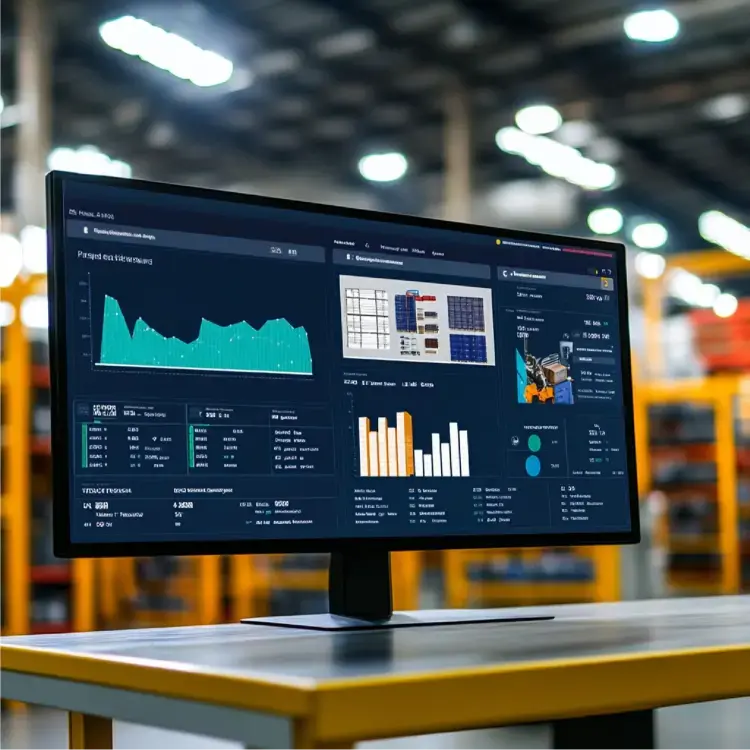
A Managed Monitoring Service Built Specifically for D365 F&O

Most organizations do not struggle to detect that something is wrong in Dynamics 365 F&O. They struggle to understand what caused it, how widespread the impact is, and how quickly it can be resolved.

DynaTech's managed monitoring services are designed for organizations that want continuous visibility into the health of their D365 environment without building and maintaining a monitoring framework internally. Through proactive IT monitoring, teams can identify performance issues earlier, investigate them faster,and reduce the operational disruption caused by recurring incidents.

The service comes pre-built with monitoring capabilities for batch processing, form performance, DMF execution, server behavior, and business-critical processes. This allows organizations to establish meaningful ERP monitoring capabilities within weeks rather than spending months developing dashboards, alerts, and investigation models from the ground up.

What makes the service different is its D365 focus. Many IT monitoring services can identify performance anomalies, but they do not understand batch workloads, DMF execution patterns, AOS behavior, legal entity context, or upgrade-related regressions within Dynamics 365 Finance & Operations.

The service also incorporates AI-driven diagnostics that go beyond traditional dashboards and alerts. When performance issues occur, teams can quickly understand what changed, what is being affected, and where to focus their investigation efforts, helping reduce troubleshooting effort and improve response times across the ERP landscape.

Dynamics 365 testing services-opt

Real-Time Batch Job Monitoring and Failure Alerting

Batch processing sits behind some of the most critical operations in Dynamics 365 Finance & Operations. From invoicing and costing to MRP and inventory updates, a single delayed or failed batch job can have a ripple effect across downstream processes.  Traditional ERP monitoring often highlights failures after they occur. Effective batch monitoring requires visibility into workload distribution, queue health, thread utilization, and execution patterns before performance issues begin affecting operations.

Operational Visibility Across the Batch Landscape

The monitoring framework provides a consolidated view of batch execution activity across the environment, helping teams understand how workloads are being processed and where bottlenecks are developing.

Key Monitoring Areas

  • Priority distribution across Normal, High, and Critical workloads

  • Batch task execution spread across Batch AOS instances

  • Throttled task trends and workload pressure indicators

  • Available execution threads across batch servers

  • PBS queue depth across High, Normal, Low, and Reserved priorities

  • Batch server configuration and thread allocation settings

  • Detailed batch execution history, including duration, retries, and failures

ERP monitoring (2)

AI-Driven Batch Intelligence

Monitoring data becomes significantly more valuable when it is interpreted in context. The service continuously evaluates execution patterns to identify jobs running outside expected windows, detect workload imbalances, and highlight emerging capacity constraints.  This approach to ERP performance monitoring helps teams address issues earlier, optimize scheduling decisions, and reduce the likelihood of operational disruption caused by batch processing failures.

AI-Assisted Testing Capabilities-opt-1

Baseline Benchmarking Before and After Every D365 Upgrade

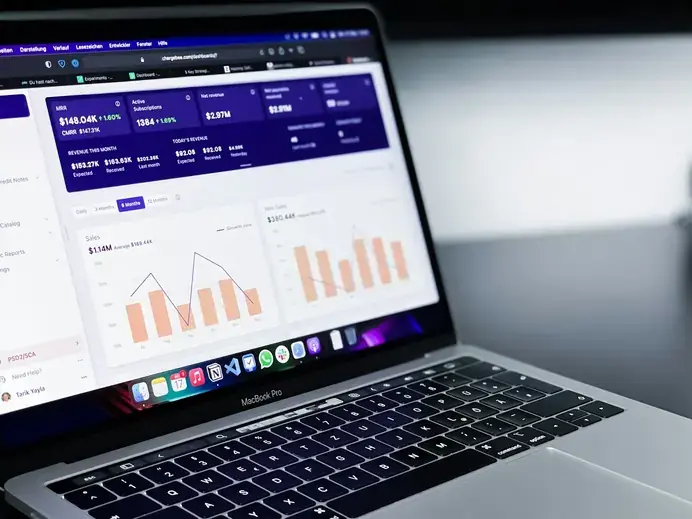
By comparing current performance against established baselines, teams can quickly identify regressions, validate improvements, and understand the impact of changes across forms, batch processes, and overall system responsiveness. The benchmarking framework captures Apdex scores, form load durations, and batch execution times before every significant change, creating an objective reference point that reduces reliance on subjective user feedback and helps teams assess performance with greater confidence. This provides a more structured approach to D365 performance monitoring and reduces uncertainty during upgrades and release cycles.

Establishing a Performance Baseline

Benchmarking creates a measurable reference point before significant changes are introduced into the environment, allowing organizations to compare performance before and after deployments.

Common Benchmarking Scenarios
  • Before platform updates and version upgrades
  • Prior to deploying customizations or enhancements
  • Before enabling new features or business processes
  • Following hotfixes and production releases
  • During post-upgrade validation and stabilization
Establishing a Performance Baseline

Validating Performance Changes

By comparing current performance against established baselines, teams can quickly identify regressions, validate improvements, and understand the impact of changes across forms, batch processes, and overall system responsiveness.

This provides a more structured approach to D365 performance monitoring and reduces uncertainty during upgrades and release cycles.

Validating Performance Changes

Automated Performance Reporting for IT Leadership

Monitoring data is only valuable when it can be translated into meaningful insights for operational and leadership teams. Manual reporting often consumes significant time while still providing limited visibility into overall system health.

Reporting That Supports Better Decisions

The service automatically generates performance reports that help stakeholders understand trends, validate improvements, and track operational health over time.

Reporting Capabilities
  • Daily and weekly performance summaries
  • Apdex trends and user experience reporting
  • Batch processing and system health insights
  • Before-and-after performance comparisons following upgrades or releases
  • SLA compliance and threshold monitoring
  • Report distribution through email or Microsoft Teams

By automating performance reporting, organizations typically eliminate four to eight hours of manual analysis effort per week while providing IT and business stakeholders with a consistent and objective view of Dynamics 365 environment health.

Performance Reporting for IT Leadership

Why D365-Specific Monitoring Delivers Better Results

Most application monitoring platforms are designed to work across a wide range of technologies. While they can detect performance anomalies, they often lack the operational context required to understand how those issues affect Dynamics 365 Finance & Operations.

DynaTech's monitoring service is built around the components, workloads, and processes that drive day-to-day D365 operations, helping teams move beyond generic alerts and focus on the issues that matter most.

Best-Fit Environments

The service is particularly valuable for organizations that:

  • Run business-critical operations on Dynamics 365 Finance & Operations
  • Depend heavily on batch processing and integrations
  • Manage multiple legal entities, business units, or regions
  • Operate under strict performance, compliance, or SLA requirements
  • Require faster identification and resolution of performance issues

By combining D365-specific expertise with continuous monitoring and diagnostics, organizations gain deeper operational visibility than traditional monitoring platforms typically provide.

D365-Specific Monitoring

D365-Focused Monitoring vs Generic APM Platforms

Capability DynaTech Monitoring Service Generic APM Platforms
Batch workload visibility Limited
DMF execution monitoring Limited
AOS capacity monitoring Limited
D365-specific benchmarking No
AI-driven root cause analysis Partial
Business process telemetry Requires customization
Managed service delivery No


How the Managed Monitoring Retainer Works

Implementing a monitoring framework is only one part of the equation. Sustained value comes from continuously reviewing telemetry, investigating anomalies, validating performance trends, and acting on emerging risks before they affect operations. DynaTech delivers this as an ongoing managed service, providing both the monitoring platform and the expertise required to interpret and act on the data.

What the Engagement Includes

  • Monitoring framework setup and configuration
  • Azure Application Insights integration and telemetry collection
  • Dashboard and alert configuration
  • Ongoing performance reviews and health assessments
  • Investigation support for performance incidents
  • Benchmarking and post-release validation
  • AI-driven diagnostics and reporting

A Continuous Monitoring Approach

Rather than relying on periodic reviews or reactive troubleshooting, organizations gain continuous oversight of their Dynamics 365 F&O environment. This helps teams identify issues earlier, reduce investigation effort, and maintain consistent performance as workloads, users, and business processes evolve.

Stop Waiting for Performance Issues to Impact Operations

Slow forms, failed batch jobs, and delayed business processes often become visible only after users are affected. DynaTech's managed monitoring services help organizations identify issues earlier, reduce troubleshooting effort, and strengthen their ERP monitoring capabilities.

managed monitoring services

FAQs

What is D365 F&O performance monitoring and why does it matter?

Most Dynamics 365 F&O environments rely on reactive troubleshooting — teams discover performance issues only after users are already affected. Performance monitoring uses telemetry collected through Azure Application Insights to give IT teams continuous visibility into batch jobs, form load times, DMF execution, and business-critical processes, enabling issues to be identified and resolved before they impact operations.

How is this different from generic APM tools like Dynatrace or Splunk?

Generic application performance monitoring tools can detect anomalies, but they have no understanding of Dynamics 365-specific components — batch AOS workloads, DMF staging behaviour, PBS queue depth, legal entity context, or upgrade-related regressions. DynaTech's service is purpose-built for D365 F&O, which means the dashboards, alerts, and AI diagnostics are all aligned to the way D365 actually operates rather than requiring heavy custom instrumentation.

Do we need additional software or licensing to deploy this service?

No. The monitoring service is built natively on Azure Application Insights and Azure Monitor, which are part of the Microsoft Azure ecosystem. There are no third-party agents, additional platform licenses, or external tools required. Organizations with an existing Azure subscription can deploy the service without introducing new vendors.

How long does it take to go live?

Most environments are operational within a few weeks. DynaTech deploys pre-configured dashboards, alert rules, and telemetry frameworks as a starting point, which significantly reduces setup time compared to building a monitoring infrastructure from scratch.

Does this work with on-premises or private cloud D365 deployments?

The service is designed for Dynamics 365 Finance & Operations running on Microsoft's cloud (cloud-hosted environments and Tier 2+ sandbox and production environments). On-premises deployments have limited Azure Application Insights integration and are not currently supported.

What does the ongoing managed service include?

The retainer covers the monitoring framework itself, ongoing telemetry management, proactive alert management, automated weekly performance reporting, benchmarking coverage for platform updates and releases, and AI-driven diagnostics. Engagement tiers are available depending on the scope of coverage required — from foundational dashboards and alerts through to full custom telemetry and SLA compliance reporting.

What is Apdex score and how is it used in D365 monitoring?

Apdex (Application Performance Index) is a standardised metric that measures user satisfaction with application response times on a scale of 0 to 1. A score of 1 indicates all users are experiencing acceptable response times, while lower scores indicate degradation. Within the monitoring service, Apdex is used as the primary benchmark for form load performance and as the core comparison metric before and after every platform upgrade or deployment.

Get In Touch Get In Touch

Get In Touch