

 31 Aug 2026
Large data import operations are often expected to be completed within tightly defined processing windows. When they run longer than expected, downstream integrations are delayed, batch workloads accumulate, and business processes can quickly fall behind schedule.
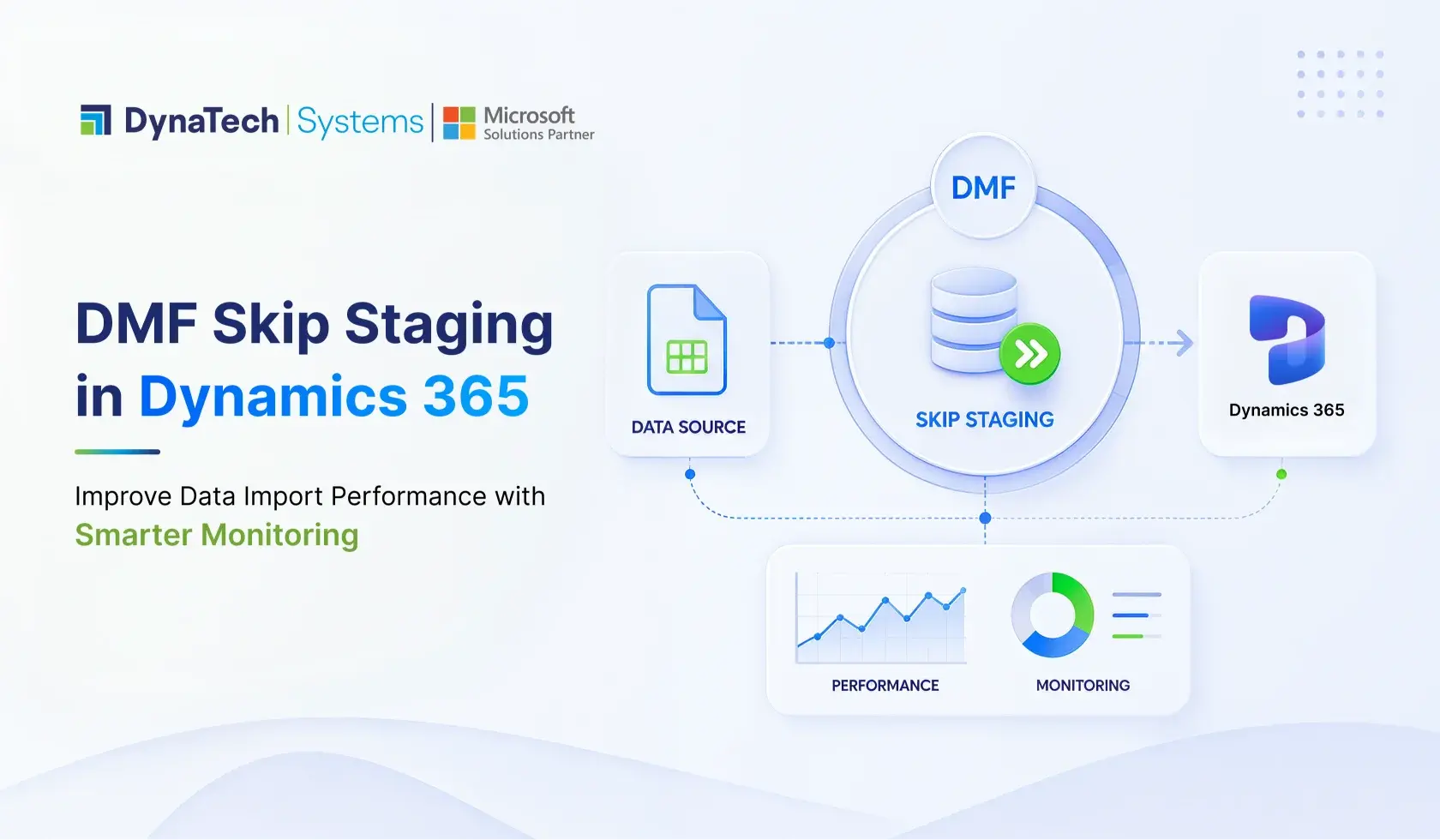
One optimization frequently discussed in Dynamics 365 DMF implementations is DMF Skip Staging. By bypassing the staging table and processing supported entities directly, it has the potential to reduce processing overhead and improve import performance.
However, enabling Skip Staging does not automatically result in faster execution. Import performance is influenced by multiple factors, including entity design, business logic, batch processing, database activity, and workload characteristics. In some scenarios, the staging layer remains essential for validation, troubleshooting, and operational visibility.
This is why configuration changes should be supported by measurable data rather than assumptions.
This guide explains how DMF Skip Staging works, where it can improve data migration and data integration performance, when it should be used with caution, and which Dynamics 365 performance monitoring practices help validate its impact in Dynamics 365 Finance & Operations.
Understanding What DMF Skip Staging Actually Changes
To understand the impact of DMF Skip Staging, it helps to first examine how a standard import is processed within the Data Management Framework.
Under a traditional import workflow, incoming records are first written to staging tables. During this stage, the system performs validations, data transformations, mapping checks, and error handling before transferring validated records into the target entity.
This intermediate layer provides administrators with greater visibility into import failures, simplifies troubleshooting, and supports scenarios where data must be reviewed or corrected before final processing.
When Skip Staging is enabled for a supported entity, this intermediate step is bypassed. Records are processed directly against the destination entity, reducing the amount of database activity associated with staging operations.
The architectural difference may appear relatively small, but it changes how the import pipeline executes.
Standard DMF Import Flow
Source File
↓
Data Import
↓
Staging Table
↓
Validation & Transformation
↓
Target Entity
DMF Skip Staging Flow
Source File
↓
Data Import
↓
Target Entity
Removing the staging layer can reduce unnecessary database writes and shorten overall processing time for suitable workloads. However, because staging is no longer available for intermediate validation or troubleshooting, administrators must rely more heavily on monitoring and operational telemetry to understand import behavior.
For this reason, DMF Skip Staging should be viewed as a performance optimization strategy rather than a universal configuration setting.
Skip Staging Versus Standard Processing
The decision to enable Skip Staging should be based on workload characteristics rather than assumptions about performance.
|
Capability |
Standard Import |
DMF Skip Staging |
|
Uses staging tables |
Yes |
No |
|
Intermediate data validation |
Full staging validation |
Limited to supported processing flow |
|
Troubleshooting failed records |
Easier through staging data |
Relies more on logs and monitoring |
|
Database write operations |
Higher |
Lower |
|
Import execution time |
Generally longer |
Can be shorter for supported scenarios |
|
Best suited for |
Complex validation and transformation |
High-volume imports with minimal transformation |
Neither approach is inherently better.
Organizations performing complex data migration projects often benefit from staging because it provides greater control over validation and exception handling. Conversely, repetitive data integration workloads involving clean, well-structured datasets may benefit from the reduced processing overhead that Skip Staging can provide.
The key is understanding how each approach behaves within your own Dynamics 365 environment rather than assuming identical performance across every import scenario.
When DMF Skip Staging Can Improve Data Import Performance
Because DMF Skip Staging removes the intermediate staging layer, it can reduce processing overhead in scenarios where imported data requires minimal transformation before reaching the target entity. Fewer database write operations and a simplified execution path may contribute to shorter import durations for supported entities.
This approach is commonly considered for recurring Dynamics 365 integration services and processes where source data is already validated and follows a predictable structure.
Examples include:
- Product catalog synchronization from upstream systems.
- Customer or vendor master data updates.
- Reference data imports.
- Scheduled integrations between enterprise applications.
- High-volume imports with limited transformation requirements.
However, performance improvements should never be assumed simply because staging has been bypassed.
Import execution time is influenced by several additional factors, including custom business logic, entity design, database activity, batch thread availability, integration concurrency, and overall system utilization. In many production environments, these factors contribute more to processing delays than staging operations themselves.
For that reason, organizations should evaluate Skip Staging using measurable performance data rather than anecdotal observations.
When Skip Staging May Not Be the Right Choice
While Skip Staging can improve throughput in the right circumstances, there are equally serious situations where retaining the staging layer provides greater operational value.
Projects involving complex data migration, extensive data cleansing, or transformation-heavy imports typically benefit from staging. Organizations running larger initiatives should also review broader data migration strategies for Dynamics 365 before deciding on an approach.
Organizations should carefully evaluate Skip Staging when imports involve:
- Complex entity relationships.
- Extensive data transformations.
- Frequent validation failures.
- Regulatory or audit requirements.
- Data reconciliation before final processing.
- Large migration projects requiring staged verification.
In these scenarios, the visibility provided by staging tables often outweighs any potential reduction in execution time.
The objective should not be to eliminate staging wherever possible. It should be to determine which approach best supports operational reliability while meeting performance requirements.
Monitoring DMF Skip Staging Performance
Enabling Skip Staging is only the beginning. The real value comes from understanding how it performs under production workloads.
Without effective performance monitoring, administrators have little visibility into whether execution times are improving or remaining unchanged.
A structured monitoring strategy should evaluate the complete execution lifecycle rather than focusing solely on overall import duration.
Key metrics include:
|
Monitoring Metric |
Why It Matters |
|
Import execution duration |
Measures end-to-end processing time. |
|
Batch execution status |
Identifies failed or delayed imports. |
|
Records processed per execution |
Helps evaluate throughput. |
|
Error frequency |
Detects recurring validation or processing issues. |
|
Database resource utilization |
Identifies SQL bottlenecks affecting imports. |
|
Batch queue activity |
Reveals scheduling delays during peak workloads. |
Monitoring these metrics over time helps administrators distinguish isolated performance spikes from recurring operational issues.
Trend analysis is often more valuable than reviewing individual import executions in isolation.
Building a Performance Monitoring Strategy for Dynamics 365 DMF
Organizations with mature Dynamics 365 performance practices rarely investigate imports only after users report delays. Instead, they establish continuous monitoring that highlights abnormal behavior before operational processes are affected.
A practical monitoring framework typically combines several layers of visibility.
Import Execution Monitoring
Track import duration, throughput, completion status, and recurring execution failures across business-critical entities.
Batch Monitoring
Monitor queue depth, execution delays, failed batch jobs, and resource contention that may affect import scheduling. Setting up Azure Monitor alerts for D365 batch failures helps catch these issues before they escalate.
Database Monitoring
Analyze SQL execution times, blocking activity, wait statistics, and database growth that can influence data import performance. This ties closely into broader D365 F&O performance monitoring practices across the environment.
Infrastructure Monitoring
Review CPU utilization, memory consumption, storage performance, and application resource availability during large integration workloads.
Together, these monitoring layers provide a far more complete picture than import duration alone.
Common Mistakes That Affect DMF Import Performance
Performance issues are often attributed to skip staging when the underlying bottleneck exists in another part of the import process.
Several common implementation mistakes can significantly reduce import efficiency.
|
Common Mistake |
Operational Impact |
|
Enabling Skip Staging for unsupported or unsuitable scenarios |
Limited performance improvement and reduced troubleshooting visibility |
|
Ignoring custom business logic |
Increased execution time despite bypassing staging |
|
Running multiple large imports simultaneously |
Resource contention and batch delays |
|
Monitoring only failed imports |
Gradual performance degradation goes unnoticed |
|
Skipping performance baselines |
Difficult to measure whether configuration changes deliver real improvements |
Avoiding these issues allows organizations to evaluate Skip Staging objectively instead of relying on assumptions.
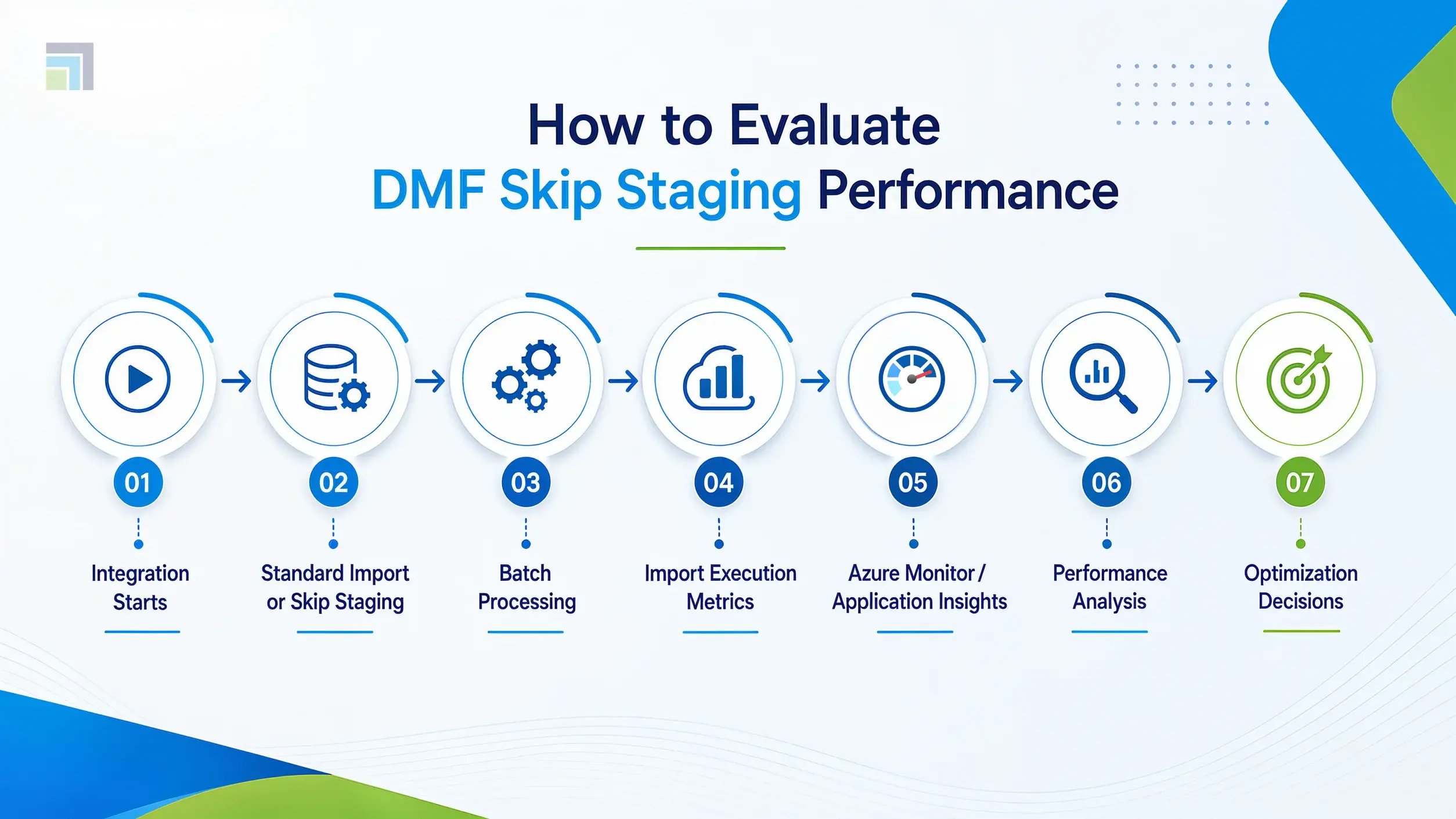
This visual reinforces that Skip Staging should be assessed through continuous monitoring rather than enabled as a default configuration.
Best Practices for Using DMF Skip Staging
Organizations typically achieve the best results when Skip Staging is introduced as part of a broader optimization strategy rather than an isolated configuration change.
A few practical recommendations include:
- Benchmark import performance before enabling Skip Staging.
- Validate that entities support Skip Staging and align with business requirements.
- Test imports using production-like data volumes rather than sample datasets.
- Monitor execution trends over multiple processing cycles instead of relying on a single import.
- Review batch execution, database performance, and infrastructure metrics alongside import duration.
These practices provide a more accurate understanding of how Skip Staging influences overall Dynamics 365 performance.

Configuration Settings Don't Fix Unmonitored Pipelines.
DynaTech builds the monitoring and DMF frameworks that turn import performance into something you can measure, not guess at.
Ending Note
There is a tendency to view DMF Skip Staging as a shortcut to faster imports. In reality, it is simply another design decision within the Data Management Framework.
In one environment, bypassing the staging layer may reduce execution time for recurring data integration jobs. In another, the same configuration could make troubleshooting more difficult without delivering any meaningful performance improvement. The difference is rarely the feature itself. It is the workload behind it.
That is why experienced Dynamics 365 teams rarely enable Skip Staging based on assumptions or isolated benchmarks. They compare execution times, monitor batch behavior, evaluate database activity, and look at performance trends before deciding whether the configuration is delivering measurable value – often as part of a broader Dynamics 365 managed services engagement that keeps this discipline consistent over time.
The goal is not to eliminate staging wherever possible. The goal is to build a Dynamics 365 DMF environment where every optimization is backed by evidence. When performance monitoring becomes part of that process, decisions become easier to justify, bottlenecks become easier to isolate, and import performance improves for the right reasons.
Where internal bandwidth for this kind of monitoring is limited, a Dynamics 365 partner can help establish the baselines before Skip Staging is switched on at scale.

