Your Dynamics 365 environment is changing whether your team is ready for it or not.
That is the reality of running a cloud ERP. New capabilities, platform changes, fixes, and service updates are delivered as part of Microsoft's ongoing service lifecycle. You cannot simply freeze the production environment and decide when it is convenient to deal with the next change.
What you can control is what happens before and after that change reaches production.
The risk is not necessarily the update itself. It is the gap between an update being delivered and an organization being prepared for its impact. A customization may behave differently. An integration may stop processing correctly. A critical business workflow may produce an unexpected result. And if testing starts only after users report a problem, the organization is already in recovery mode.
This makes Dynamics 365 updates an operational discipline, not just an IT maintenance task.
Organizations need a repeatable way to track the Dynamics 365 update schedule, assess what could be affected, test business-critical processes, validate customizations and integrations, and monitor production after deployment. With the right Dynamics 365 release management approach, updates can become controlled changes rather than recurring production risks.
The objective is simple: let Microsoft keep improving the platform without letting every platform change become your production problem.
Why Dynamics 365 Updates Need a Release Management Strategy
Cloud ERP environments are continuously evolving. Microsoft delivers new capabilities, platform improvements, fixes, and service changes as part of the Dynamics 365 service lifecycle.
For organizations, that means the question is no longer whether the ERP environment will change. It is how effectively the organization can absorb those changes without disrupting business operations.
The risk increases when a Dynamics 365 environment contains:
- Extensive customizations and extensions
- Third-party solutions
- Power Platform integrations
- External APIs and connected applications
- Complex workflows and business rules
- Critical financial or supply chain processes
- Large volumes of automated transactions
- Custom reports and data integrations
A seemingly small change can have a downstream effect. A modified process, dependency, interface, or platform behavior may not be visible until a critical transaction fails.
This is why release management needs to begin before the update reaches production.
Start With the Dynamics 365 Update Schedule
The first step in managing an update is understanding when it is coming and what type of change is involved.
Microsoft provides service communications and release information through the relevant Dynamics 365 and Microsoft 365 administration experiences. Organizations should use these sources to track their applicable Dynamics 365 update schedule, rather than relying on assumptions about when changes will appear.
The release information should feed into an internal update calendar.
For each upcoming update, IT and business stakeholders should capture:
|
Area |
What to identify |
|
Update timing |
When the change is expected in each environment |
|
Scope |
Which applications, features, or platform components are affected |
|
Business impact |
Which business processes could be influenced |
|
Customizations |
Extensions, configurations, and custom components requiring validation |
|
Integrations |
APIs, interfaces, and connected applications to test |
|
Testing |
Test cases and critical scenarios required before production |
|
Deployment |
Internal owners, approvals, and communication requirements |
|
Validation |
Post-update checks and monitoring requirements |
This turns the Dynamics 365 update schedule into an actionable release plan rather than simply another date on the IT calendar.
Assess Impact Before You Start Testing
Not every Dynamics 365 update deserves the same level of testing.
A change to a feature your organization barely uses should not receive the same attention as an update that could affect order processing, inventory, invoicing, or financial posting. The first step, therefore, is to determine where the update could actually touch your business.
A practical impact assessment should look at three areas:
1. Business Processes
Identify the processes that cannot afford disruption. For a manufacturing organization, this could include:
- Production order processing
- Inventory transactions
- Procurement
- Warehouse operations
- Demand and supply planning
- Sales order fulfillment
- Financial posting
2. Customizations and Extensions
Review custom functionality that interacts with the areas affected by the update. This includes extensions, workflows, business rules, reports, and other modifications that may behave differently after the change.
3. Integrations and Dependencies
Trace the processes beyond Dynamics 365 itself. A sales order, for example, may trigger a Power Platform flow, pass data to an ecommerce platform, update a warehouse system, or feed a reporting pipeline.
This last step is often overlooked.
A successful screen-level test does not necessarily mean a successful business process. Dynamics 365 may load normally while an integration fails, a downstream transaction remains unprocessed, or a critical workflow produces an unexpected result.
That is why impact assessment should map the update to the entire business process, not just the Dynamics 365 feature being changed.
Build a Regression Test Set Around Business-Critical Processes
Testing every possible transaction after every update is rarely practical.
Instead, organizations should maintain a regression suite focused on the processes that cannot afford to fail.
A strong suite should cover both standard functionality and the organization's own customizations.
For example:
Finance: Create an invoice, followed by transaction posting, accounting entry verification, and reporting validation.
Order management: Create a sales order, followed by availability confirmation, warehouse release, shipment, and invoicing.
Procurement: Create purchase order → receive goods → process invoice → complete financial posting.
Integration: Trigger transaction → verify data transfer → confirm downstream processing → validate response.
This approach makes Dynamics 365 regression testing after updates more focused and repeatable.
It also creates a baseline. When the same critical scenarios are executed before and after an update, teams can distinguish genuine update-related issues from problems that already existed in the environment.

Strengthen Your Dynamics 365 Regression Testing
DynaTech helps you validate critical workflows, test customizations, and identify update-related risks before they affect production.
Use Dynamics 365 Automated Testing Where Repetition Becomes a Bottleneck
Manual testing has an important role, particularly for exploratory testing and business-user validation. But repeating the same regression scenarios every update cycle can quickly consume valuable QA and functional resources.
This is where Dynamics 365 automated testing can strengthen the release process.
Automated tests can repeatedly execute defined business scenarios and validate expected outcomes across environments. A reusable regression suite also means the organization does not have to rebuild its testing process for every release.
The most effective model is not automation for its own sake. It is risk-based automation.
Prioritize scenarios that are:
- Business critical
- Frequently executed
- High volume
- Prone to regression
- Difficult to validate manually
- Dependent on multiple systems
- Previously affected by customization changes
Automation then becomes part of the release gate rather than an isolated QA activity. AI-driven Dynamics 365 test automation can help teams build and maintain these scenarios without heavy scripting.
Separate Testing From Production Deployment
One of the most important Dynamics 365 update best practices is to avoid making production the first meaningful test environment.
Where the environment strategy allows it, updates should be evaluated in a non-production environment before business-critical deployment.
A practical sequence is:
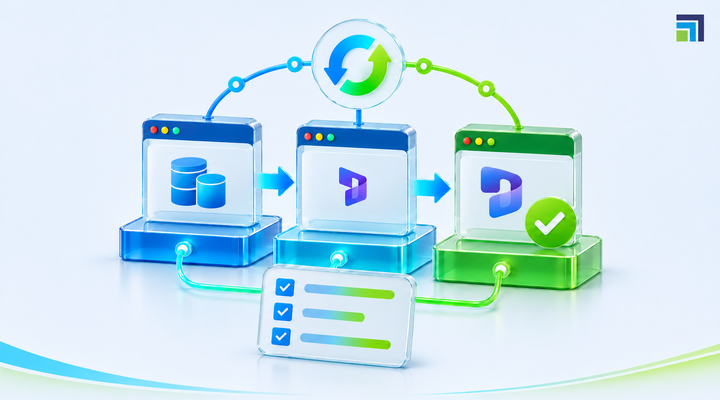
Update notification, followed by impact assessment, non-production update, automated regression testing, functional validation, business sign-off, production update, and post-update validation.
This creates an opportunity to identify compatibility issues before users encounter them.
Testing should include more than functional execution. Teams should validate integrations, security-sensitive processes, batch or background operations where applicable, reporting, and other dependencies relevant to their implementation.
Business users should also participate in validating processes that directly affect their daily operations. IT can confirm that a transaction technically completes. A finance or warehouse user can confirm whether the process still works as expected from an operational perspective.
Do Not Stop Testing When the Update Is Deployed
Passing pre-production tests does not mean the release cycle is finished.
Production has different transaction volumes, data patterns, integrations, and user behavior. A process that performs correctly in a controlled test environment may behave differently under real workloads.
Post-update validation should therefore focus on the organization's most important operational signals.
Check:
- Critical business transactions
- Integration success and failure rates
- Background processing
- Application errors
- User-reported issues
- Performance changes
- Data synchronization
- High-priority workflows
- Financial or operational posting
This is where Dynamics 365 performance monitoring complements testing by helping teams track application behaviour and identify issues that emerge after deployment.
Testing answers, "Does the process work under known scenarios?"
Monitoring answers, "What is happening in the live environment?"
You need both.
Make the Release Cycle Repeatable
The biggest improvement organizations can make is to stop treating every update as a new project.
Create a repeatable operating model.
Before the update
Review Microsoft service updates, assess impact, identify affected processes, and prepare the regression suite.
During testing
Apply the update to the appropriate non-production environment, execute automated and functional tests, investigate failures, and document results.
Before production
Obtain business validation, review outstanding defects, confirm deployment readiness, and communicate the expected impact.
After production
Run smoke tests, monitor critical transactions and integrations, review errors, and keep a clear record of any issues discovered.
Over time, this creates a historical release record that shows what was tested, what failed, what changed, and how the organization responded.
That information becomes valuable for future Dynamics 365 service updates because the team can reuse previous test coverage and focus on areas that have historically presented risk.
Common Mistakes That Put Production at Risk
Even organizations with formal release processes can make avoidable mistakes.
Testing only standard functionality: Customizations and integrations often represent the areas most likely to require additional validation.
Starting too late: Waiting until an update reaches production leaves little time to investigate failures.
Relying entirely on manual testing: Repetitive regression checks become slower and less consistent as the environment grows.
Testing individual features instead of business processes: A feature may work while the end-to-end process that depends on it fails.
Skipping post-update monitoring: Some issues only become visible under real production conditions.
Keeping no historical evidence: Without test results and release records, teams repeat the same investigation during every update cycle.
Avoiding these mistakes makes the update process more predictable without turning every Microsoft release into a large-scale testing exercise.
Turn Dynamics 365 Updates Into a Controlled Operational Process
The goal of Dynamics 365 release management is not to prevent change. Cloud ERP environments are designed to evolve.
The goal is to make that change manageable.
A mature update strategy combines a clear update schedule, impact assessment, risk-based regression testing, automated validation, business sign-off, controlled deployment, and post-production monitoring.
For organizations managing complex Dynamics 365 environments, a Dynamics 365 Partner like DynaTech can help establish this lifecycle through automated testing, release management, regression validation, and performance monitoring.
Instead of reacting when an update breaks something in production, teams can identify risk earlier, validate critical processes before deployment, and monitor the environment after the change goes live.
The next Dynamics 365 update is already part of the operating model. The question is whether your organization is ready to manage it before it reaches production.
Talk to DynaTech about building a more reliable Dynamics 365 update and release management process.