

 30 Jul 2026
A single failed test script rarely stays a testing problem for long.
In Dynamics 365 environments, it can delay deployments, slow finance operations, interrupt release schedules, and force QA teams into days of script corrections that nobody originally planned for. What makes the situation more frustrating is that many failures are not caused by broken business logic. Sometimes, a small UI adjustment, a workflow update, or a configuration change is enough to disrupt an entire regression cycle.
This is one of the biggest reasons enterprises are re-evaluating how they approach automation testing in Dynamics 365.
RSAT brought structure to regression testing inside Finance & Operations, especially for organizations moving away from manual validation. But as D365 environments become more integrated, customized, and release-driven, maintaining static automation frameworks is becoming increasingly difficult.
The conversation around testing is now shifting from simple automation toward intelligent adaptability.
Businesses want automation frameworks that can tolerate change, identify issues faster, reduce maintenance effort, and support continuous releases without creating operational bottlenecks. This is where AI-powered regression testing is beginning to solve some of the most persistent problems with RSAT.
In this blog, we explore five major RSAT limitations and how AI-driven automation testing is helping Dynamics 365 teams build faster, more resilient testing operations.
Understanding Where RSAT Starts Breaking Down
The Regression Suite Automation Tool was designed to simplify automated regression testing for Dynamics 365 Finance & Operations by allowing organizations to record business processes and replay them during testing cycles. For standard workflows and relatively stable environments, it delivers clear operational value.
However, enterprise-scale Dynamics 365 implementations rarely remain static.
As businesses introduce customizations, integrations, workflow variations, UI updates, security role changes, and multi-environment deployments, testing complexity increases significantly. This is where many Dynamics 365 test automation challenges begin to surface.
The problem is not simply automation coverage. It is adaptability.
Traditional automation frameworks depend heavily on predefined recordings and rigid execution logic. When business applications evolve rapidly, maintaining those scripts becomes increasingly resource-intensive.
The result is slower testing cycles, unreliable validation, rising maintenance costs, and reduced confidence during deployments.
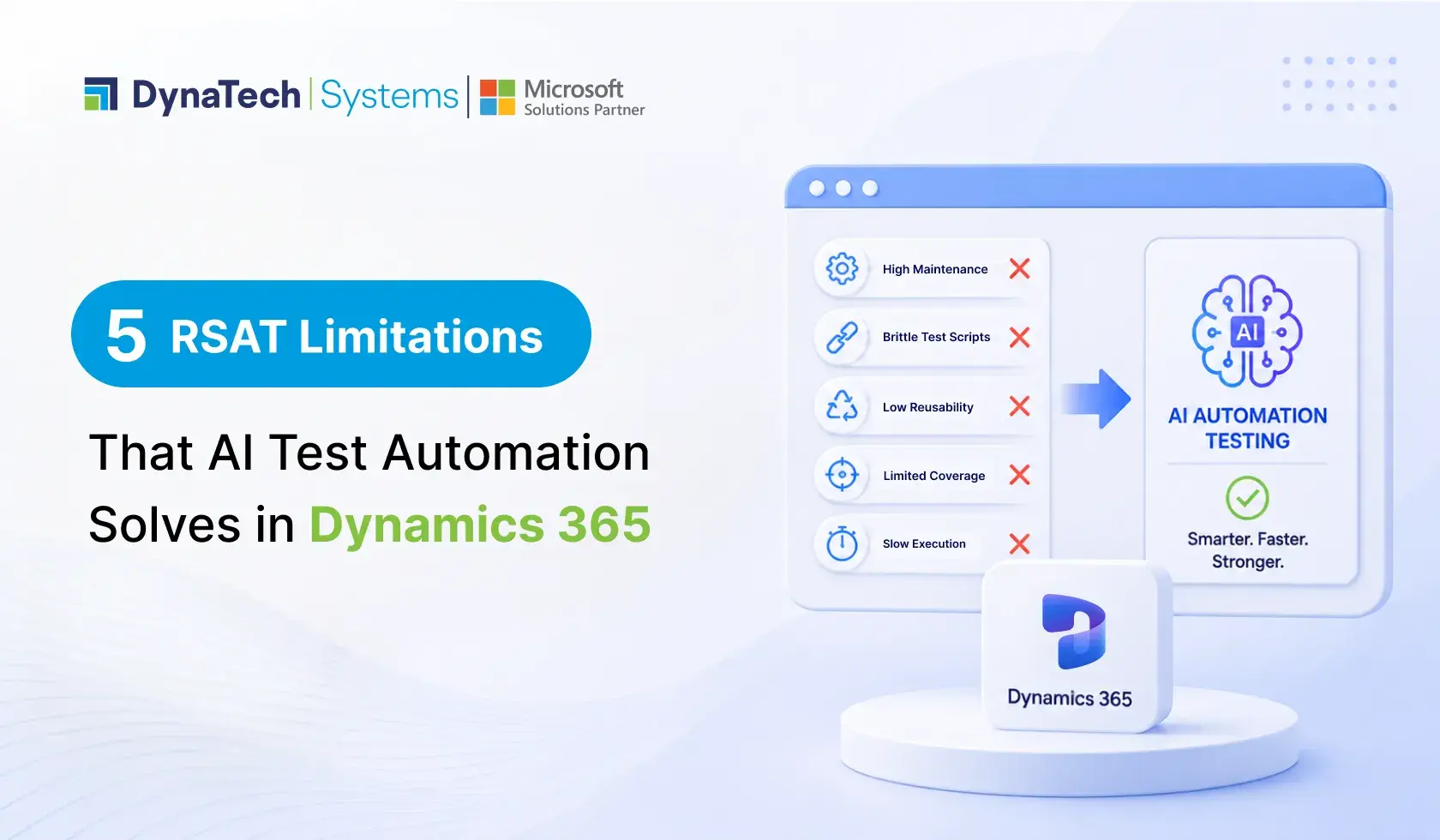
Below are five major RSAT limitations enterprises commonly experience and how AI-driven automation testing addresses them more effectively.
1. Frequent Script Failures During UI or Workflow Changes
One of the most common problems with RSAT is its sensitivity to application changes.
Even small modifications inside Dynamics 365 Finance & Operations can interrupt test execution:
- Form layout updates
- Field repositioning
- Workflow sequence changes
- Label modifications
- Security-driven UI variations
- Parameter configuration updates
Because RSAT relies heavily on recorded task flows, scripts often fail when application behavior changes beyond the original recording context.
This creates instability across regression testing cycles.
Teams frequently spend more time troubleshooting broken scripts than validating actual business functionality. Over time, automation reliability decreases, especially in highly customized D365 environments.
How AI Automation Testing Solves It
AI-powered regression testing platforms use intelligent object recognition and adaptive workflow detection instead of depending entirely on static recordings.
Rather than identifying elements only through fixed paths, AI models analyze:
- Screen behavior
- UI patterns
- Context relationships
- Historical execution behavior
- Dynamic element positioning
This allows test scripts to adapt to moderate interface and workflow changes automatically.
The result is significantly fewer false failures and more stable regression execution across evolving Dynamics 365 environments.
2. High Maintenance Effort Slows Testing Teams
Many organizations underestimate the long-term maintenance effort associated with traditional automation frameworks.
As Dynamics 365 environments grow, RSAT maintenance requirements increase rapidly:
- Scripts must be re-recorded
- Data parameters require updates
- Environment dependencies must be reconfigured
- Test libraries become difficult to manage
- Workflow variants multiply across business units
Eventually, maintaining automation consumes substantial QA bandwidth.
This becomes particularly difficult during major D365 release cycles, where testing teams must validate hundreds of business processes under compressed timelines.
Among the most significant RSAT limitations is the dependency on continuous manual intervention to keep automation usable.
How Smart Automation Testing Tools Reduce Maintenance
Smart AI Automation Testing Tools introduce self-healing automation capabilities.
When workflows or UI components change slightly, AI engines can automatically adjust execution logic without requiring full script recreation. Intelligent maintenance models identify reusable patterns, detect impacted flows, and isolate failure causes faster.
AI-assisted testing frameworks can also:
- Auto-update object references
- Recommend script corrections
- Detect duplicate test scenarios
- Optimize regression coverage
- Reduce repetitive script rebuilding
This dramatically lowers operational maintenance overhead while improving scalability for enterprise QA teams.
Traditional RSAT vs AI Test Automation
|
Capability |
Traditional RSAT |
AI-Powered Testing |
|
Script Adaptability |
Low |
High |
|
UI Change Tolerance |
Limited |
Intelligent Detection |
|
Maintenance Effort |
High |
Reduced |
|
Failure Analysis |
Manual |
AI-Assisted |
|
Regression Speed |
Slower |
Faster |
|
Scalability |
Moderate |
Enterprise-Scale |
3. Limited Adaptability Across Complex Business Scenarios
Modern Dynamics 365 environments rarely operate through simple linear workflows, making running thousands of D365 test variations essential for validating complex business processes and ensuring reliable performance.
Organizations often manage:
- Multi-entity operations
- Role-based workflow variations
- Third-party integrations
- Warehouse mobility processes
- E-commerce synchronization
- Supplier collaboration portals
- Power Platform automation layers
Traditional automation models struggle when business logic becomes highly dynamic.
RSAT performs best within predictable and structured testing conditions. However, enterprise operations frequently involve conditional workflows, variable datasets, and interconnected systems that require greater contextual intelligence.
This limitation becomes especially visible during end-to-end testing across multiple business applications.
How AI-Powered Regression Testing Improves Adaptability
AI-powered regression testing frameworks are designed to handle variability more effectively.
Instead of validating only predefined paths, AI testing models evaluate workflow behavior dynamically and identify deviations contextually. This enables broader testing coverage across integrated business scenarios.
AI-driven testing can better support:
- Cross-module workflows
- Dynamic business rules
- Multi-user transaction paths
- Integration testing scenarios
- Data-driven testing models
- Complex approval processes
This flexibility becomes critical for organizations operating large-scale Dynamics 365 ecosystems with continuous operational changes.
4. Slow Regression Cycles Delay Releases
Regression testing speed directly impacts deployment agility.
When testing cycles become slower, organizations delay releases, postpone updates, or increase production risk by reducing validation coverage.
One of the most overlooked Dynamics 365 test automation challenges is execution inefficiency caused by rigid automation structures. As regression suites expand, RSAT execution and maintenance timelines often grow alongside them.
Teams frequently encounter:
- Long execution queues
- Repeated validation cycles
- Environment synchronization delays
- Manual intervention during failures
- Delayed issue identification
This slows down release readiness significantly.
How AI Automation Accelerates Regression Testing
AI-based automation frameworks improve regression efficiency through intelligent execution prioritization and failure analysis.
Instead of rerunning entire suites repeatedly, AI models can:
- Identify high-risk business processes
- Prioritize impacted workflows
- Detect redundant test execution
- Predict likely failure areas
- Optimize regression coverage dynamically
Some AI-powered testing platforms also use parallel execution intelligence to reduce overall testing duration.
The outcome is faster validation cycles, quicker release confidence, and improved deployment agility across Dynamics 365 environments.

AI Testing Built for Constantly Changing Dynamics 365 Environments
Reduce regression delays, minimize script maintenance, and execute testing more intelligently with an AI-driven automation platform designed specifically for Dynamics 365.
5. Lack of Intelligent Reporting and Root Cause Analysis
Traditional automation reports often tell teams what failed, but not why it failed.
This creates additional investigation cycles where QA engineers manually analyze logs, screenshots, execution paths, and application behavior to identify root causes.
For enterprise testing teams managing large-scale regression libraries, this slows issue resolution significantly.
This is one of the reasons many organizations are now evaluating DynaTech AI Testing vs RSAT for Dynamics 365 as testing environments become more complex and release-driven.
Among the most operationally expensive problems with RSAT is the absence of deeper contextual intelligence within reporting and diagnostics.
How AI Improves Testing Visibility
AI-driven automation testing platforms introduce intelligent reporting layers capable of analyzing execution behavior contextually.
Instead of generating static logs alone, AI models can:
- Categorize failure patterns
- Identify recurring instability areas
- Predict defect-prone workflows
- Correlate failures across releases
- Recommend remediation actions
- Detect environment-related anomalies
This improves testing visibility at both technical and operational levels.
Business and QA leaders gain faster insight into release risk, application stability, and deployment readiness without manually consolidating fragmented reports.
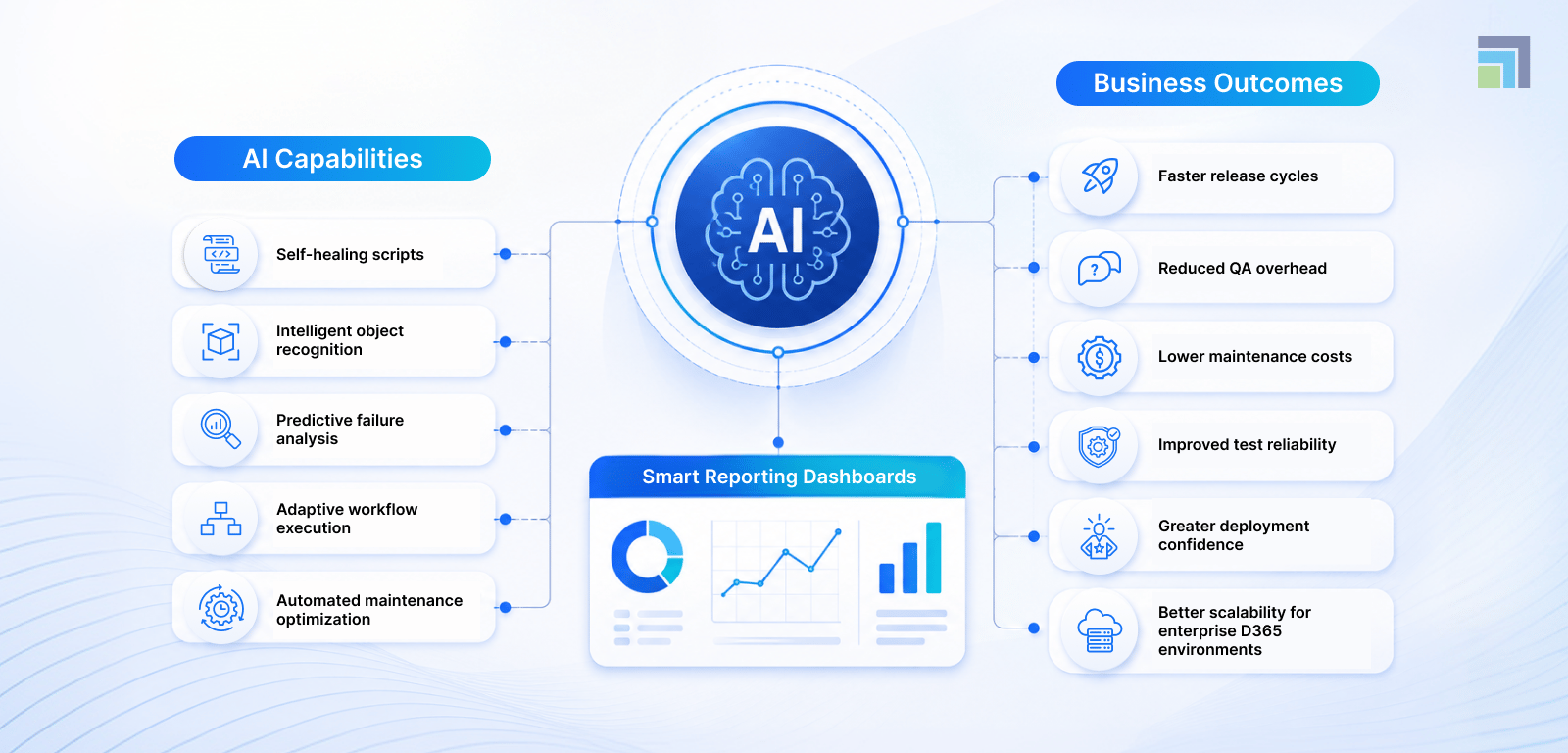
How AI Enhances Dynamics 365 Regression Testing
Why Dynamics 365 Testing Strategies Are Evolving Beyond Traditional Automation
Testing Dynamics 365 environments is no longer as straightforward as validating a few business processes before deployment. Every new integration, workflow update, Copilot capability, or customization adds another layer of complexity to enterprise testing cycles.
That is why many organizations are moving beyond heavily script-dependent automation models. While RSAT still delivers value, businesses looking to support faster releases and changing operational requirements are increasingly adopting AI-native testing for Dynamics 365 approaches that are easier to maintain and more adaptable over time.
As a trusted Dynamics 365 partner, DynaTech helps enterprises strengthen Dynamics 365 QA processes with modern testing strategies focused on stability, scalability, and release confidence across evolving business environments.

