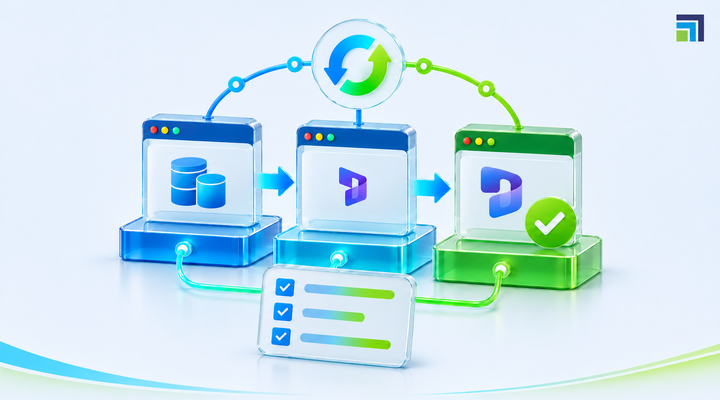
Microsoft regularly releases updates for Dynamics 365, which makes D365 move. These updates are good for businesses, but they can make test suites harder. A form may change; a field may move, or a workflow may be updated. As a result, tests that worked earlier may start failing, even when there are no software issues.
To handle these changes, many teams are now looking for dedicated test automation tools. For D365, two options come up: DynaTech’s AI Automation Testing Tool for Dynamics 365, and Leapwork, one of the popular no-code platforms.
In this blog, we will compare AI testing automation for D365 CE vs. Leapwork across the most important criteria that matter most when choosing the right tool. Here, CE stands for Customer Engagement, which covers Dynamics 365 Sales, Customer Service, Marketing, and Field Service. Let’s begin!
Why Customer Engagement Testing Needs More than Record-and-Replay?
Dynamics 365 Customer Engagement apps are highly customizable. Most organizations use custom entities, business process flows, Power Automate flows, plugins, and role-based views. They also need to manage regular updates from Microsoft. These changes mostly create three common testing challenges:
- Fragile tests: Dynamics 365 automated testing that relies on specific screen elements can fail when the interface changes, even if the business process still works.
- Higher maintenance costs: Fixing broken tests can take more time than creating new ones.
- Limited ownership: If only a few specialists can create or fix tests, testing progress depends on their availability.
Teams that want a deeper look at D365 CE test automation will find these same patterns behind most failed automation programs. Both tools in this comparison aim to solve these problems without requiring users to write code. They go about it differently. However, they take different approaches to AI-powered test automation.
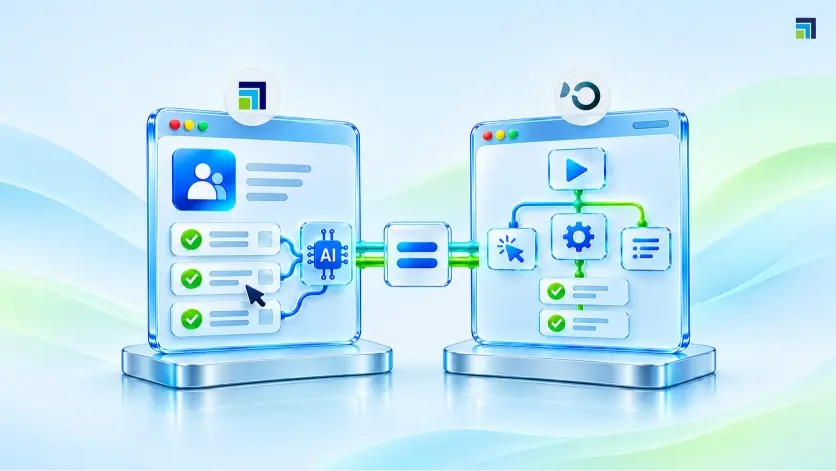
Meet the Two Platforms: DynaTech’s AI Automation Testing Tool and Leapwork
Explore how DynaTech’s AI Automation Testing Tool and Leapwork compare in features, capabilities, and testing approaches to help businesses streamline automation.
DynaTech’s AI Automation Testing Tool
DynaTech’s AI Automation Testing Tool for Dynamics 365 is a no-code, self-healing platform dedicatedly developed for Dynamics 365. Testers write scenarios in plain English, and the tool executes them in a way that reflects real business processes. The concept behind it is explained in detail in our recent blog on AI-native testing for Dynamics 365.
Leapwork
Leapwork is a general-purpose, no-code test automation platform that allows testers to create automated tests using visual flowcharts. Each flow connects blocks representing actions such as opening records, entering data, and validating results. Its support for web, desktop, and other application types makes it a practical option for teams looking to standardize test automation across diverse systems.
Both eliminate the need for scripting, but they differ in how tests are created, how well they adapt to changes, and how deeply they integrate with Dynamics 365 CE applications.
DynaTech’s AI Testing Automation for D365 CE vs Leapwork: Comparing the Two on Real CE Scenarios
Discover how DynaTech, a Microsoft Solutions Partner, compares its AI-powered testing automation for Dynamics 365 Customer Engagement (CE) with Leapwork across real-world CE scenarios. Explore the differences in test coverage, automation efficiency, scalability, and business value to identify the right solution for your D365 CE testing needs.
1. Dynamics 365 Sales Testing
Consider a typical sales process: a lead is created and qualified, converted into an opportunity, moved through the sales stages, and eventually used to generate a quote.
- DynaTech: The same scenario can be described in plain English, such as “Create a lead, qualify it, and verify that an opportunity is created with the correct owner.” This business-focused approach makes test cases easier to read, review, and understand, particularly when documenting longer sales processes.
- Leapwork: The process is automated through a visual flow, with blocks representing individual actions and validation checkpoints. This approach is accessible and easy to follow. However, as the process grows to include stage gates, mandatory fields, and conditional business rules, the flow can become more complex to maintain and organize.
2. Dynamics 365 Customer Service Testing
Customer Service testing mostly involves complex routing and assignment rules. A case is created, classified, routed to a queue, assigned according to business rules, and monitored against service-level targets.
- DynaTech: Test scenarios can be expressed in business terms, such as “Verify that a high-priority billing case is routed to the escalation queue.” Its AI-driven, self-healing capabilities can help tests adapt to certain interface changes, such as relocated form elements or renamed controls, reducing the need for manual test maintenance when supported changes occur.
- Leapwork: Visual flows can automate case creation, routing checks, and assignment validation. Reusable components help standardize steps across different case types. However, when routing rules or application workflows change, teams may need to identify the affected flows and update them accordingly.
3. Dynamics 365 Marketing Testing
Marketing scenarios can involve forms, audience segments, emails, and customer journeys that move contacts through different stages based on their interactions.
- DynaTech: Marketing scenarios can be expressed as business requirements, such as “a contact who submits the event form should be added to the right segment.” This approach keeps test definitions focused on expected business outcomes within the Dynamics 365 Customer Engagement environment.
- Leapwork: Its cross-application automation capabilities can support testing of web-based marketing forms and related pages. This flexibility is particularly useful when campaigns span multiple systems beyond Dynamics 365.
4. Forms, Views, and Workflows
Changes to forms, views, and workflows are a common source of test maintenance. Adding a form section, reordering tabs, changing view columns, or modifying a workflow can affect existing automated tests.
- DynaTech: AI-driven self-healing can help tests accommodate supported changes to interface elements, such as controls moving or changing identifiers. This can reduce the effort required to maintain tests as Dynamics 365 CE forms and views evolve. The approach is particularly relevant when evaluating how AI-driven execution can improve Dynamics 365 test automation.
- Leapwork: Reusable components can simplify maintenance when shared application interactions change. However, teams still need to identify affected flows, assess the impact, and update automation where necessary.
5. Who Writes and Owns the Tests
Test automation is not just about execution. It also depends on who can create, understand, and maintain tests as business processes change.
DynaTech: Plain-English test authoring can make test creation more accessible to a broader group of stakeholders, including QA engineers, functional consultants, and sales or service process owners. People who understand a Dynamics 365 CE business process can help define its expected behavior without necessarily having to build visual automation flows themselves.
Leapwork: Its visual, no-code flow designer makes automation more accessible than traditional code-based approaches. However, building and maintaining complex flows still requires familiarity with the platform’s design principles, reusable components, and debugging practices.
Side-By-Side Summary of AI Test Automation for DynaTech vs Leapwork
Here is the comparison table that shows key areas to differentiate DynaTech’s AI testing automation for D365 CE vs Leapwork:
|
CE Testing Area |
DynaTech AI Automation Testing Tool |
Leapwork |
|
Approach |
No-code plain-English scenarios |
No-code visual flowcharts |
|
Sales (lead to quote) |
Described as a business scenario |
Flow built block by block |
|
Customer Service routing |
Scenarios written around routing intent |
Flows updated when rules change |
|
Marketing journeys and forms |
Focused on CE behavior |
Strong when campaigns span other systems |
|
Forms and views changes |
Self-healing adapts to UI changes |
Team updates affected flows |
|
Who authors tests |
QA, consultants, and process owners |
Testers comfortable with flow design |
|
Strongest when |
Testing centers on Dynamics 365 CE |
Testing spans many applications |
Teams exploring how AI can support their workflows can also review DynaTech’s AI use cases for Dynamics 365 Customer Engagement. Also, please confirm Leapwork’s current capabilities and pricing directly with the vendor, as features change between releases.
Beyond the Tool: Support and Strategy from DynaTech Systems
Test automation delivers the most value when it is backed by a clear testing strategy. As a Microsoft Solutions Partner, DynaTech works with Dynamics 365 CE implementations, bringing practical platform experience to the testing process.
This expertise helps teams in several key areas:
- Prioritizing what to automate: Start with high-volume, high-risk business processes, such as lead qualification and case routing, before moving on to less common scenarios.
- Building a complete quality strategy: Our Dynamics 365 QA testing services complement automation with activities that require human judgment, including exploratory and usability testing.
- Choosing the right testing approach: Understanding functional testing vs regression testing vs UAT for Dynamics 365 helps teams decide what to automate and what business users should validate manually.
Leapwork’s vendor and partner ecosystem can be a good fit for teams with established testing relationships. Organizations looking for a single partner who understands their Dynamics 365 CE configuration and supports their testing needs may prefer DynaTech’s integrated approach.
How to Choose Between AI Test Automation Platforms
Rather than relying on a feature list, run a short pilot on your own environment using CE processes you actually depend on. Good candidates include lead-to-opportunity, case creation through routing and resolution, and a marketing form submission that adds contact to a segment. Then, with each tool:
- Check the time needed: See how long a non-developer takes to create a working test.
- Make a change: Change a form, view, or routing rule. Check how much effort is needed to fix the test.
- Check how easy it is to understand: Make sure sales or service team members can easily understand what the test checks.
- Check release support: See whether tests can run automatically on a schedule or during software updates.
Remember, automation cannot replace human judgement. People are still needed to test user experience, explore unexpected problems, and check complex business rules, no matter which tool you choose.

Still Confused About Which Tool to Choose?
Connect with DynaTech Systems to compare AI testing automation and Leapwork and find the right fit for your D365 CE needs.
Both platforms help CE teams automate testing without coding, and both are good options. Leapwork is a strong choice when testing covers multiple applications. DynaTech’s tool is a better fit for teams focused on Dynamics 365 Sales, Customer Service, and Marketing. It offers easy test creation using plain English, self-healing features, and support from a team with deep Dynamics 365 expertise.
If your main focus is Customer Engagement, try DynaTech’s AI Automation Testing Tool on your own business processes to see how it works and whether it meets your needs.