Every Dynamics 365 release can put your finance and supply chain processes at risk. A small change to a form, a new validation rule, or an updated workflow can break key processes like procure-to-pay, order-to-cash, or month-end close.
Manual testing takes time and often cannot keep up with frequent updates. That’s why many Finance and Supply Chain Management (FSCM) teams use test automation for Dynamics 365.
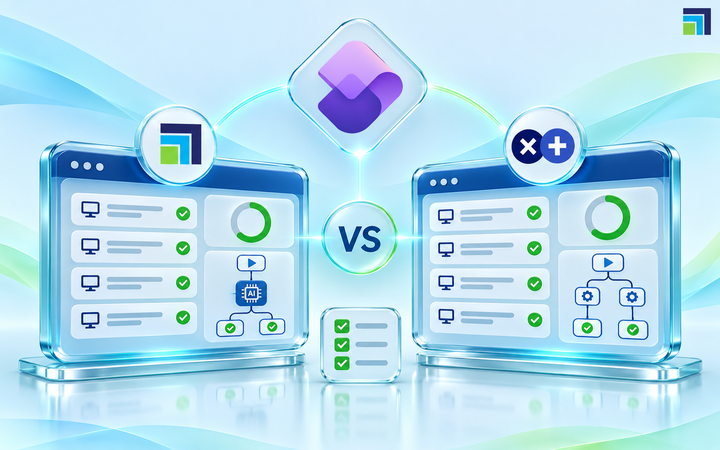
For D365 test automation, two tools come up in that search. One is DynaTech’s AI Automation Testing Tool for Dynamics 365, and the other is XPLUS Executive Automats, which is now part of the Testing by XPLUS brand. Both offer no-code testing, but they take different approaches.
This guide compares these two tools across different factors and helps you understand which one may be the best fit for your team.
Why Dynamics 365 FSCM Testing Is Challenging
FSCM environments are rarely simple. They mostly include custom extensions, third-party solutions, integrations, and processes that run across multiple legal entities. Microsoft also releases regular updates, which means teams must keep testing to make sure everything still works.
Testing Dynamics 365 is challenging because releases happen often, business processes can involve many steps, and finding people who understand both the system and the business can be difficult.
Microsoft’s Regression Suite Automation Tool (RSAT) has been a common starting point for automated testing. However, Microsoft Learn confirms that RSAT will no longer be supported after May 15, 2027.
As this date approaches, many teams are looking for an RSAT alternative. Choosing the right tool is important to help maintain test coverage, reduce manual work, and keep critical finance and supply chain processes running smoothly.
How DynaTech’s AI Testing Automation for D365 F&SCM Works
DynaTech’s AI testing automation tool for D365 starts with a very simple idea: the people who know the business process should be able to write the test. Functional consultants & QA teams describe test scenarios in simple English. The platform uses Azure AI Foundry and enterprise AI models to understand these instructions. Playwright MCP then turns them into executable test steps and runs them in real browsers like Chrome, Edge, and Firefox.
Key Features of DynaTech's Tool for Dynamics 365 F&SCM Teams:
- Plain-English test creation: Teams can write tests in simple English without needing coding skills or test scripts.
- Self-healing AI: The testing tool can identify screen elements by their text, position, and behavior. This helps tests continue working when the application interface changes.
- Data-driven testing: Teams can run the same test with different datasets, legal entities, and regions. This is useful for businesses that operate across multiple companies or locations.
- Different types of testing: The tool supports functional, regression, and integration testing, along with Copilot and AI workflow testing across Dynamics 365 and Power Platform.
- Enterprise security: It provides encrypted credentials, isolated test execution utilizing Docker, and support for using your own Azure OpenAI key.
- Test reports and dashboards: Teams can track test results, execution trends, and test stability through dashboards.
DynaTech also helps teams get started with onboarding, training sessions, and hypercare support after implementation. For more information, see AI-native testing for Dynamics 365.
How XPLUS Executive Automats Works
XPLUS describes its product as an autonomous regression testing tool. It learns from how people use the system and turns real business processes into automated regression tests.
The goal is to help IT teams manage testing while reducing the need for business users to test everything manually. As people use the system and business processes change, test coverage can grow over time.
Key Features of XPLUS Executive Automats:
- Automated test creation: Identifies real business processes from actual system usage and converts them into regression tests.
- Recorded test scripts: Allows teams to record actions and use them for testing.
- Scheduled test runs: Teams can schedule test suites to run automatically.
- Performance testing: Offers a dedicated feature to check system performance.
- Growing test coverage: Helps teams expand regression testing as business processes evolve.
DynaTech’s AI Testing Automation VS XPLUS Executive Automats:
|
Factor |
DynaTech’s AI Testing Automation |
XPLUS Executive Automats |
Edge |
|
Test creation |
Plain English by functional experts |
AI-identified processes from usage, plus recorded scripts |
Depends on your approach |
|
Who owns testing |
Functional consultants and QA |
IT-led, less reliance on business users |
DynaTech if you want business-owned tests |
|
Handling UI changes |
Self-healing with context recognition |
Reusable scripts, coverage that evolves with usage |
Different approaches; compare in a pilot |
|
Multi-entity and multi-region runs |
Published, data-driven |
Not detailed in published material |
DynaTech |
|
Test types |
Functional, regression, integration, Copilot and AI workflow |
Regression and performance |
DynaTech for breadth |
|
Performance testing |
Not a stated tool feature; D365 performance monitoring available separately |
Dedicated capability |
XPLUS |
|
Test discovery from usage |
Authored by people who know the process |
Built in |
XPLUS |
|
Security and AI deployment |
Encryption, isolated execution, BYOK, multi-LLM |
Trust Center published |
Compare both vendors’ documentation during procurement |
|
Support |
Onboarding, hypercare, D365 managed services |
Consulting, implementation, support |
Similar |
Let’s understand all these crucial factors in detail for both tools in the next section.

Let Your Consultants Write the Tests
No code, no specialists. See how plain-English test automation puts D365 quality in your team’s hands.
DynaTech’s AI Testing Automation vs XPLUS Executive Automats: The Comparison Factors Explained
1. Test Creation
DynaTech lets functional experts write test scenarios in plain English and converts them into executable steps. XPLUS takes a different route: it uses AI to identify business processes from actual system usage and turns them into regression tests, and it also supports recorded scripts. Teams running recorded RSAT scripts should factor in the RSAT deprecation in 2027 when deciding how to build their next set of tests.
Writing scenarios gives teams that already understand their business processes more control over what gets tested and why. Usage-based discovery can help teams that are unsure where to start, because it shows what people actually do in the system. XPLUS itself notes that this does not remove the need for testing expertise. The better option depends on the team’s needs and starting point
2. Who Owns Testing
DynaTech allows functional consultants and QA teams to create and maintain tests because they understand finance and supply chain processes. XPLUS focuses more on IT-led testing, reducing the need for business users to be involved.
If your goal is to let business teams manage automated testing for Dynamics 365, DynaTech’s approach may be a better fit. It also suits user acceptance testing, where the people who sign off on a process can build and rerun its checks themselves.
3. Handling UI Changes
This is where many test automation programs lose value. DynaTech’s self-healing AI identifies screen elements by text, position, and behavior rather than relying on fixed selectors. This helps tests keep running when the interface changes.
XPLUS uses reusable scripts and expands test coverage as system usage evolves. For teams with frequent releases, DynaTech’s approach focuses on reducing the time spent fixing broken tests.
4. Multi-Entity and Multi-Region Runs
Dynamics 365 FSCM environments often cover multiple legal entities, currencies, and regions. DynaTech supports data-driven testing, allowing teams to run the same test scenario across different datasets, legal entities, and regions.
XPLUS’s published material does not provide the same level of detail on this capability, so confirm its support for multi-entity testing with the vendor if this is important to your business.
5. Test Types Covered
DynaTech’s tool covers functional, regression, and integration testing, as well as Copilot and AI workflow testing across Dynamics 365 and Power Platform. Performance testing is not listed as a feature of the tool; DynaTech offers D365 performance monitoring as a separate service, covered in the next section.
XPLUS lists regression and performance testing as its core scope. If your priority is functional, integration, and AI workflow coverage in one tool, DynaTech fits that scope. If built-in performance testing is the priority, XPLUS fits that scope.
6. Performance Testing
XPLUS offers dedicated performance testing, which is one of its key strengths [S3]. DynaTech’s tool covers functional, regression, integration, and Copilot testing and does not list performance testing as a tool feature; D365 performance monitoring is available as a separate service.
If performance testing is a major requirement for your Dynamics 365 environment, you can opt for the separate performance monitoring service provided by DynaTech or consider XPLUS as well.
7. Security and AI Deployment
DynaTech publishes details about its security features, including encrypted credentials, isolated Docker-based test execution, bring-your-own-key support for Azure OpenAI, and compatibility with multiple LLMs.
XPLUS provides a Trust Center with security information. For businesses in regulated finance, comparing the available security documentation is an important part of the procurement process.
8. Support and Delivery
Both vendors offer services beyond their testing software. DynaTech provides onboarding, training sessions, hypercare, and Dynamics 365 managed services, bringing testing, implementation, and support together.
XPLUS also offers consulting, implementation, and support services. For teams that prefer to work with a single partner for their Dynamics 365 needs, DynaTech’s approach may be more convenient.
Why DynaTech Is Worth Considering for D365 FSCM Testing
Teams pick DynaTech when the real pain is maintenance, not test creation. Tests that break after every release can cost more time and effort than they save. DynaTech’s self-healing AI aims to reduce this maintenance work. It also allows finance and supply chain consultants to create and maintain tests without relying on testing specialists, helping with regression testing and user acceptance testing (UAT).
Another advantage is its broader testing scope. Teams can use the same plain-English approach to test integrations and Copilot workflows, extending testing beyond core FSCM without adding another tool. Since DynaTech is also a Dynamics 365 partner, teams can access QA testing services and ongoing support through the same relationship.
Run a Pilot Because You Decide
Test three or four real processes, such as procure-to-pay, order-to-cash, or bank reconciliation, and compare:
- Time to first working test for a non-developer.
- Repair effort after you change a form or field on purpose.
- Reuse across legal entities and environments.
- Reporting a test manager can act on.
- RSAT migration effort, if you have existing assets.
Ready to Test Smarter in D365 FSCM
Talk to DynaTech’s testing experts and find out whether AI-driven automation fits your FSCM release cycle.
The Bottom Line
Both tools support no-code testing for FSCM. DynaTech offers plain-English test creation, self-healing, broader test coverage, and support from a Dynamics 365 partner. On the other hand, XPLUS offers an established track record, usage-based process discovery, and dedicated performance testing.
For teams focused on reducing test maintenance and enabling business users to manage automation, DynaTech, as a Microsoft Solutions Partner, could be a better fit. Contact the DynaTech team to plan a pilot using your own business processes.